Kino Live Feature
Workspace Management
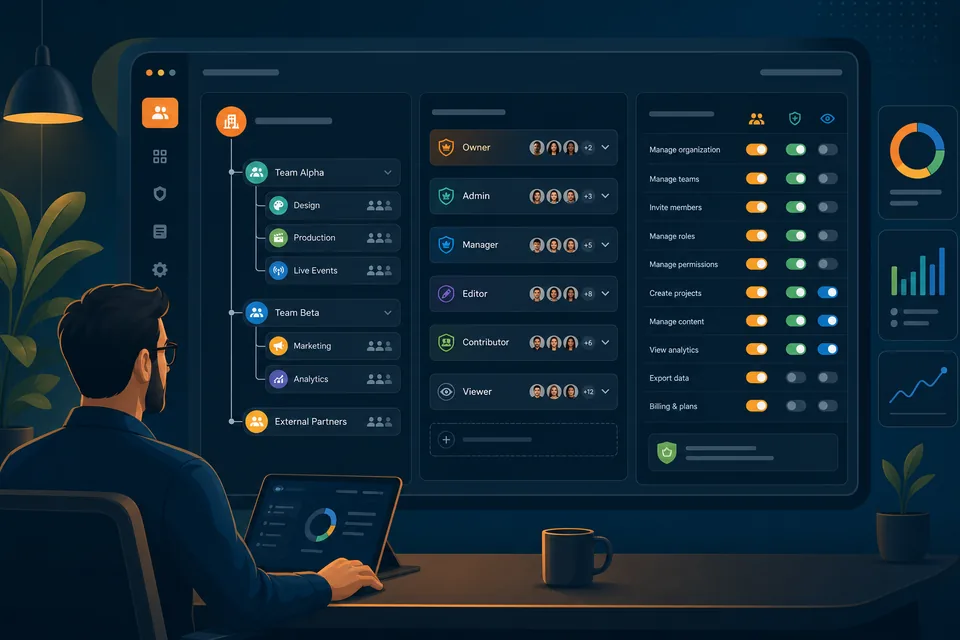
Run your whole organization from one command center. Granular permissions and role management give admins control at every level — org, workspace, and user.

Control at every level
As teams grow, structure matters. Kino Live’s management suite gives administrators precise control over who can see and do what — from the whole organization down to a single workspace or user.
Set roles, assign permissions, and shape your org’s structure from one dashboard, so the right people have the right access without manual overhead.
What you can do with Workspace Management
The capabilities that make it work for distributed, hybrid, and field teams.
Organization-wide controls
Shape structure, policy, and access across the entire company from a single place.
Workspace-level settings
Decide who can enter, manage, and configure each individual workspace.
Role management
Assign roles that bundle the right permissions for each kind of teammate.
Granular permissions
Fine-tune access down to the user when you need precision.
Where teams put it to work
Real scenarios where workspace management makes the difference.
Scaling companies
An admin rolls out consistent roles across new departments without configuring each person by hand.
Client-facing workspaces
An agency gives clients limited access to their own workspace while protecting everything else.
Security governance
IT enforces least-privilege access org-wide from one dashboard instead of scattered settings.
Explore more features
Ready to Try the Online Co-working Space?
Try Kino Live free for 14 days. See why distributed teams choose our online co-working space to stay connected and productive.
- 14-day free trial
- Cancel anytime